---
title: Quickstart
slug: getting-started/quickstart
---
## Skyvern Cloud
Sign up on https://app.skyvern.com/ to get $5 free credits.
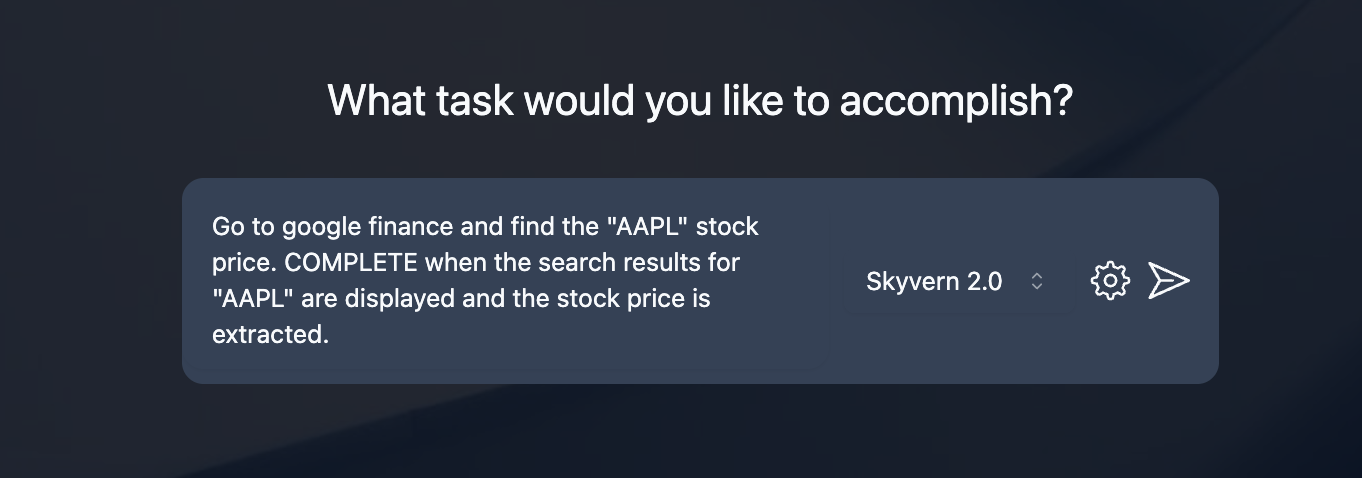
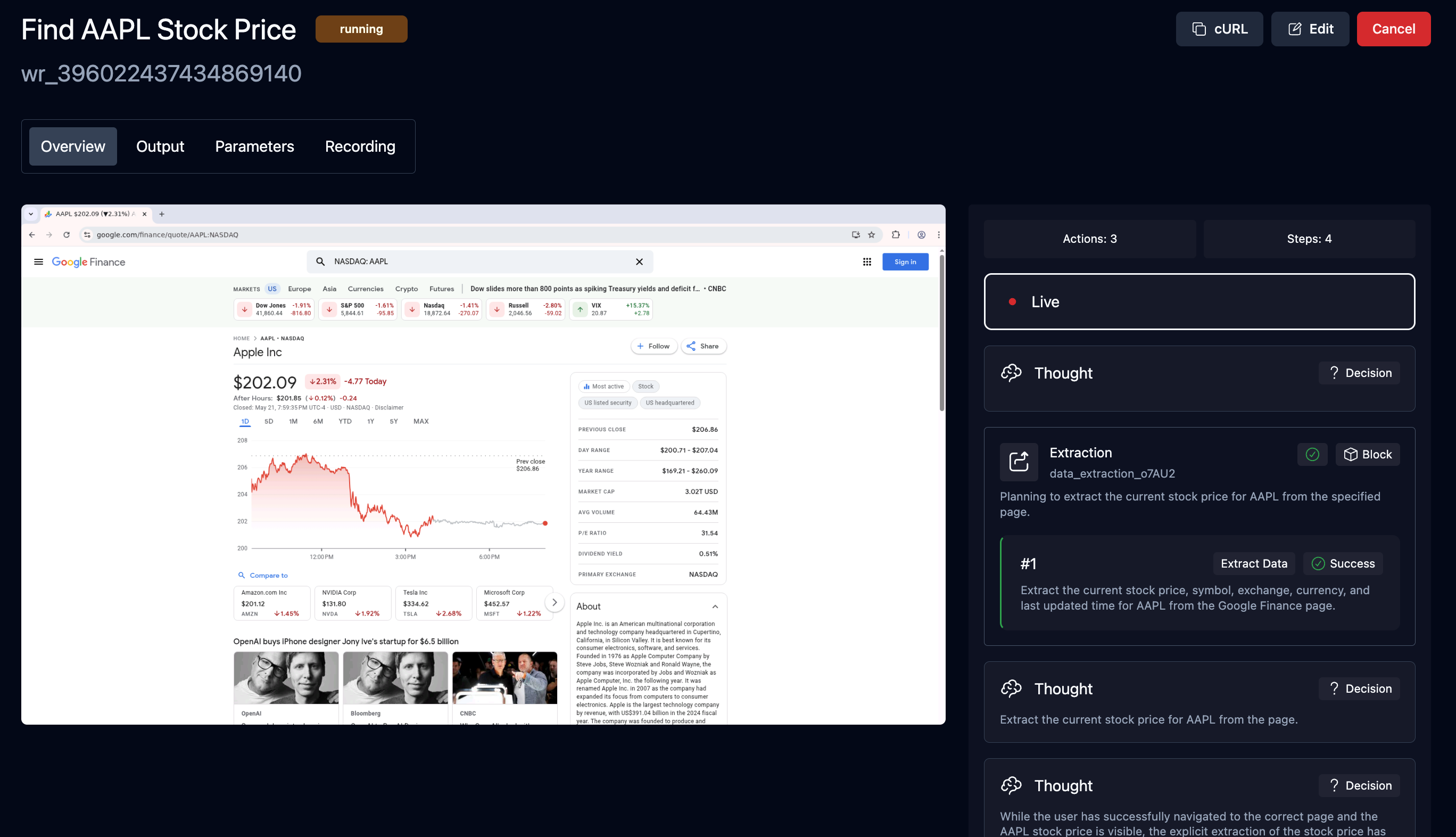
Ask the Skyvern agent to run a task and see it in action! Here are some examples you can try:
- `Navigate to the Hacker News homepage and get the top 3 posts.`
- `Go to google finance and find the "AAPL" stock price. COMPLETE when the search results for "AAPL" are displayed and the stock price is extracted.`
 ## Python SDK
Python 3.11, 3.12 and 3.13
### Install Skyvern
```bash
pip install skyvern
```
### Run Task On A Skyvern Service
Get your API key from [Skyvern Cloud](https://app.skyvern.com/settings). Send the task to Skyvern Cloud:
```python
from skyvern import Skyvern
import asyncio
skyvern = Skyvern(api_key="YOUR API KEY")
# OR pass the base_url to use any Skyvern service
# skyvern = Skyvern(base_url="http://localhost:8000", api_key="YOUR API KEY")
asyncio.run(skyvern.run_task(prompt="Find the top post on hackernews today"))
```
More API & SDK information can be found in the [API Reference](/api-reference) section.
### Run Task Locally
You can also run browser tasks locally with Python code, with a little bit of set up:
1. **Configure Skyvern** Run the setup wizard which will guide you through the configuration process. This will generate a `.env` as the configuration settings file.
```bash
skyvern init
```
2. **Run Task In Python Code**
```python
from skyvern import Skyvern
import asyncio
skyvern = Skyvern(api_key="YOUR_LOCAL_API_KEY")
asyncio.run(skyvern.run_task(prompt="Find the top post on hackernews today"))
```
A local browser will pop up. Skyvern will start executing the task in the browser and close the browser when the task is done.
Start automating tasks with the hosted version of Skyvern
Start automating tasks in your own cloud
## Python SDK
Python 3.11, 3.12 and 3.13
### Install Skyvern
```bash
pip install skyvern
```
### Run Task On A Skyvern Service
Get your API key from [Skyvern Cloud](https://app.skyvern.com/settings). Send the task to Skyvern Cloud:
```python
from skyvern import Skyvern
import asyncio
skyvern = Skyvern(api_key="YOUR API KEY")
# OR pass the base_url to use any Skyvern service
# skyvern = Skyvern(base_url="http://localhost:8000", api_key="YOUR API KEY")
asyncio.run(skyvern.run_task(prompt="Find the top post on hackernews today"))
```
More API & SDK information can be found in the [API Reference](/api-reference) section.
### Run Task Locally
You can also run browser tasks locally with Python code, with a little bit of set up:
1. **Configure Skyvern** Run the setup wizard which will guide you through the configuration process. This will generate a `.env` as the configuration settings file.
```bash
skyvern init
```
2. **Run Task In Python Code**
```python
from skyvern import Skyvern
import asyncio
skyvern = Skyvern(api_key="YOUR_LOCAL_API_KEY")
asyncio.run(skyvern.run_task(prompt="Find the top post on hackernews today"))
```
A local browser will pop up. Skyvern will start executing the task in the browser and close the browser when the task is done.
Start automating tasks with the hosted version of Skyvern
Start automating tasks in your own cloud