---
title: Password Management
subtitle: How to manage passwords in Skyvern. How Skyvern agent uses passwords.
slug: credentials/passwords
---
## Password Management
You can store password information in Skyvern. Skyvern agent can use the stored password information to log into a website without sending your username or password to LLMs.
## How To Manage Passwords
This can be done in the [Skyvern's Credentials](https://app.skyvern.com/credentials) page.
### Add a new password:
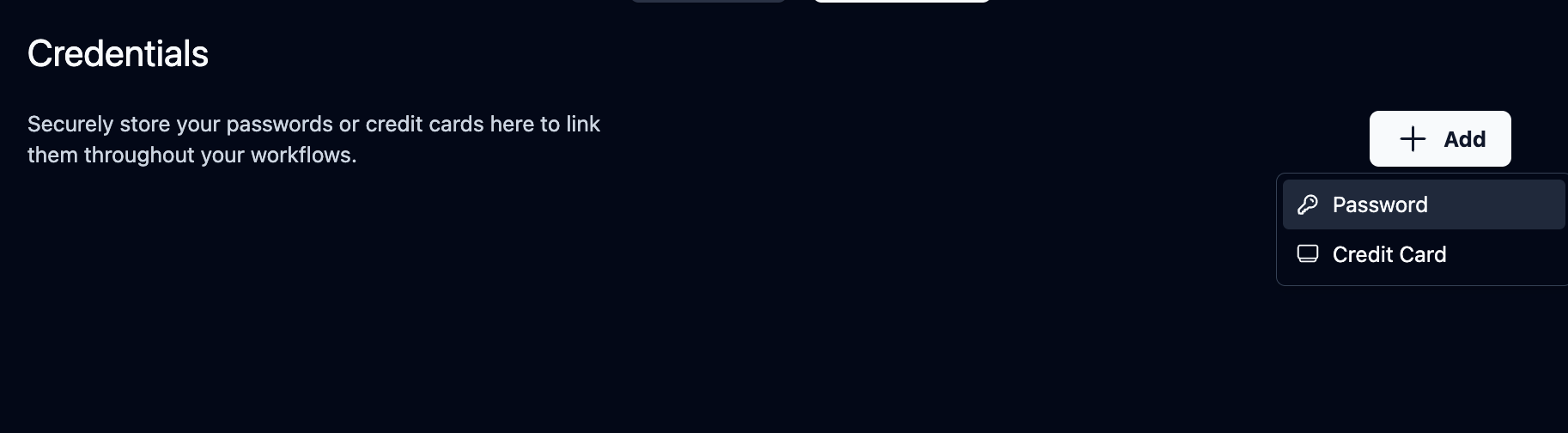 Besides the username and password, you can also add the Two Factor Authentication (TOTP) information with the authentication key/secret. If you need to set up TOTP, here are some guides from popular authenticator apps: [Bitwarden](https://bitwarden.com/help/integrated-authenticator/#manually-enter-a-secret), [1Password](https://support.1password.com/one-time-passwords#on-1passwordcom), and [LastPass](https://support.lastpass.com/s/document-item?language=en_US&bundleId=lastpass&topicId=LastPass/create-totp-vault.html&_LANG=enus).
 ### Delete a password:
Click the trash icon and confirm the deletion. If you do this, the password will be deleted from Skyvern PERMANENTLY.
### Delete a password:
Click the trash icon and confirm the deletion. If you do this, the password will be deleted from Skyvern PERMANENTLY.
 ### Update a password:
Skyvern allows only adding and deleting passwords. If you would like to update a password, you need to delete the existing password and create a new one.
## Manage Passwords with API & SDK
We also have [API and SDK](/api-reference/api-reference/credentials/create-credential) supports for password management:
**Create a new password credential:**
```python title="python"
from skyvern import Skyvern
skyvern = Skyvern(api_key="YOUR_API_KEY")
await skyvern.create_credential(
name="My Credential",
credential_type="password",
credential={"username": "username", "password": "password"},
)
```
```bash title="curl"
curl -X POST https://api.skyvern.com/v1/credentials \
-H "x-api-key: YOUR_API_KEY" \
-H "Content-Type: application/json" \
-d '{
"name": "My Credential",
"credential_type": "password",
"credential": {
"password": "securepassword123",
"username": "user@example.com",
"totp": "JBSWY3DPEHPK3PXP"
}
}'
```
**Delete a password credential:**
```python title="python"
from skyvern import Skyvern
skyvern = Skyvern(api_key="YOUR_API_KEY")
await skyvern.delete_credential(credential_id="cred_123456789")
```
```bash title="curl"
curl -X POST https://api.skyvern.com/v1/credentials/cred_1234567890/delete \
-H "x-api-key: YOUR_API_KEY"
```
### Update a password:
Skyvern allows only adding and deleting passwords. If you would like to update a password, you need to delete the existing password and create a new one.
## Manage Passwords with API & SDK
We also have [API and SDK](/api-reference/api-reference/credentials/create-credential) supports for password management:
**Create a new password credential:**
```python title="python"
from skyvern import Skyvern
skyvern = Skyvern(api_key="YOUR_API_KEY")
await skyvern.create_credential(
name="My Credential",
credential_type="password",
credential={"username": "username", "password": "password"},
)
```
```bash title="curl"
curl -X POST https://api.skyvern.com/v1/credentials \
-H "x-api-key: YOUR_API_KEY" \
-H "Content-Type: application/json" \
-d '{
"name": "My Credential",
"credential_type": "password",
"credential": {
"password": "securepassword123",
"username": "user@example.com",
"totp": "JBSWY3DPEHPK3PXP"
}
}'
```
**Delete a password credential:**
```python title="python"
from skyvern import Skyvern
skyvern = Skyvern(api_key="YOUR_API_KEY")
await skyvern.delete_credential(credential_id="cred_123456789")
```
```bash title="curl"
curl -X POST https://api.skyvern.com/v1/credentials/cred_1234567890/delete \
-H "x-api-key: YOUR_API_KEY"
```